Home
The company's first page: record counters, the new records chart and your cards, and how you choose what appears.
Home is the first page you see when you enter the company. At a glance it shows how many records you have, how many new ones came in recently, and the charts you care about. Each user sets up their own Home.
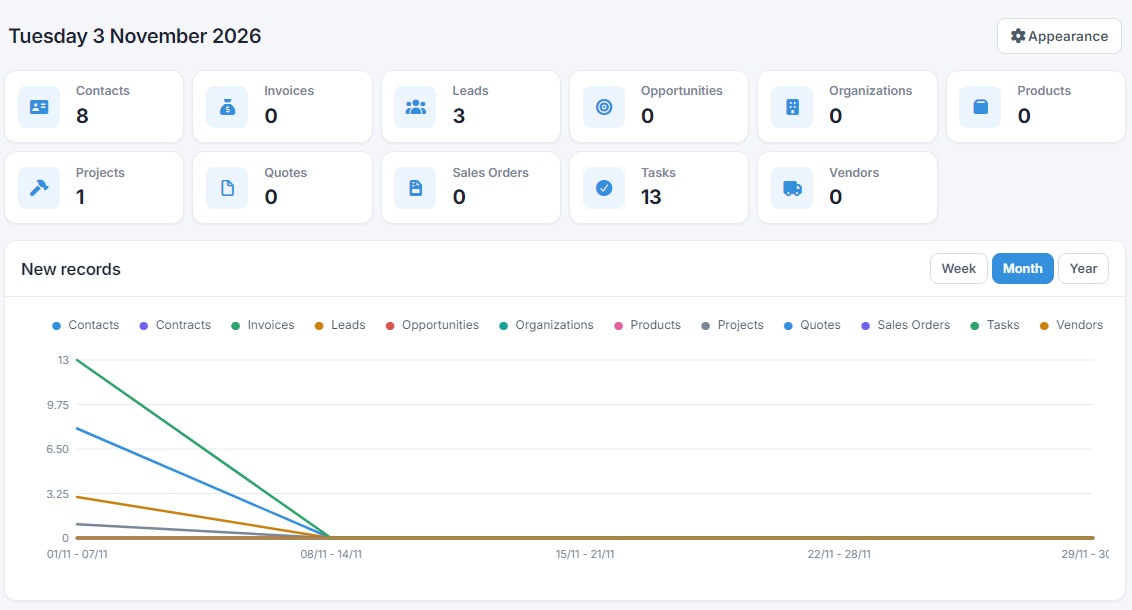
Counters
At the top, each box shows an object, e.g. Contacts or Tasks, with its number of records. Records in the recycle bin don't count. Click a box to open the object's list.
New records
The New records chart shows how many records were created in each object, one line per object:
- Week: per day, Monday to Sunday of the current week.
- Month: per week of the current month (1–7, 8–14 and so on).
- Year: per month of the current year.
Days are counted in your account's timezone, so a record created at 00:30 counts on the right day. The chart only shows the records you're allowed to see.
Cards
Below the chart you see the cards you've pinned, e.g. "Tasks by stage". A new company starts with a few ready-made ones, depending on its type. The refresh icon on the right reloads a card's data.
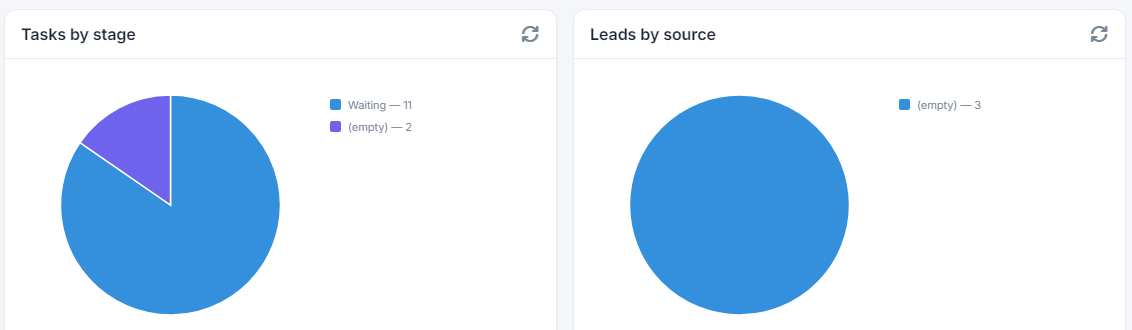
You build cards under the Analytics → Cards menu. See the guide Reports, cards and presentations.
Appearance
Press Appearance at the top right to choose what your Home shows:
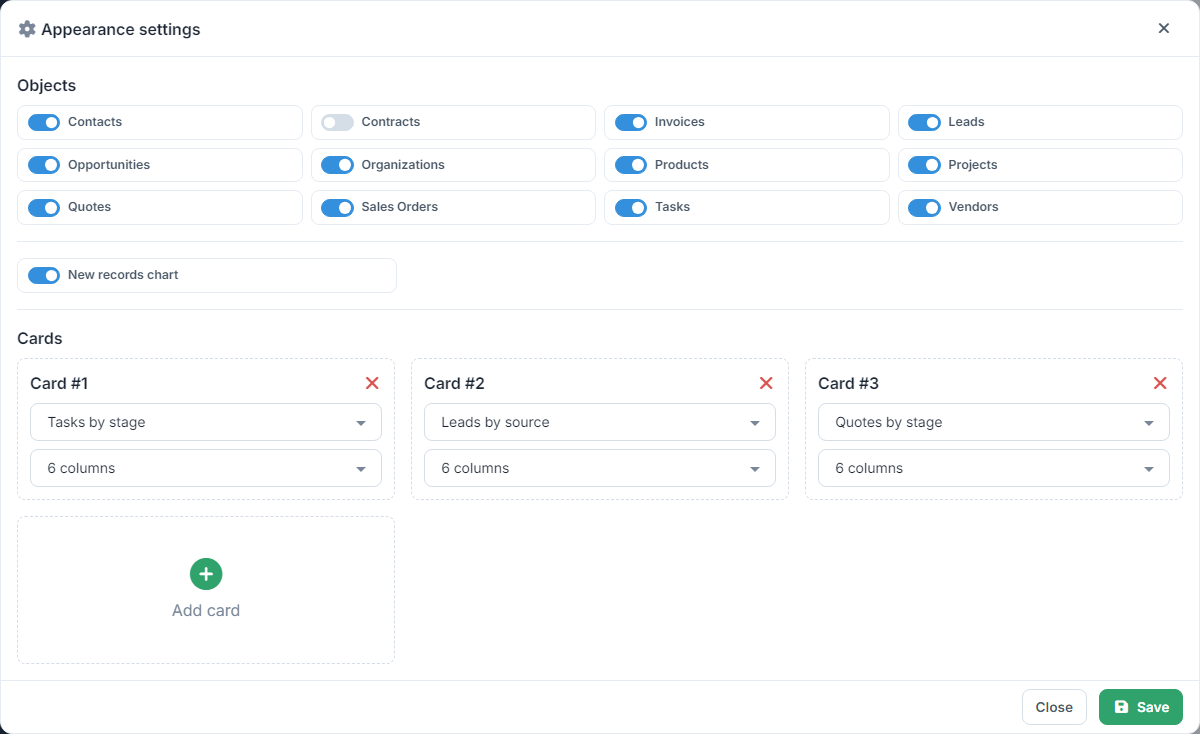
- Objects: turn each object's counter on or off.
- New records chart: shows or hides the chart.
- Cards: Add card lets you choose a card and its width, 3, 4, 6 or 12 columns (12 is the full width). Up to 6 cards fit, and the same card can be added once. The × removes a card.
Press Save. The changes apply only to you: other users keep their own Home.
The list of cards shows the ones visible to you, according to each card's Permissions. For a card to load, your profile needs permission to see Cards and the object it takes data from. See the guide User profiles.