Importing records from Excel
How to import records from an Excel file: preparing the file, mapping columns to fields, duplicates and limits.
You can bring into Entryc records you already have in an Excel file, for example your customer list, without entering them one by one.
Preparing the file
- The file must be Excel (.xlsx or .xls), up to 1 MB. If your data is in CSV, open it in Excel and save it as .xlsx.
- The first row holds the column titles and must have no empty cells. Every following row is one record.
- Up to 5000 records are imported per file. If the file has more rows, the extra ones aren't imported, so split it into several files.
- Dates are written in the form Y-m-d (for example 2026-10-30) and dates with time in the form Y-m-d H:i (for example 2026-10-30 10:00).
- For the Comments field, each row's value is added as one comment.
The easiest way is to start from the Excel sample (see below), which already has a column for every field of the object.
Step 1: Choosing the file
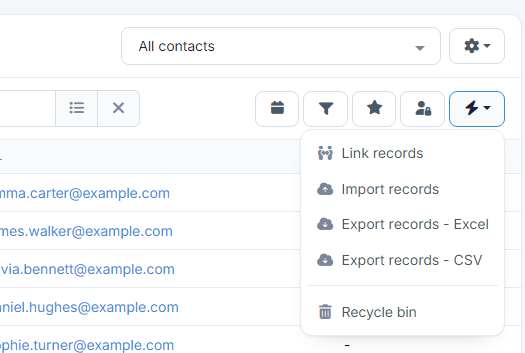
Open the list of the object you want to import records into (for example Contacts) and choose Actions (the lightning bolt) → Import records.
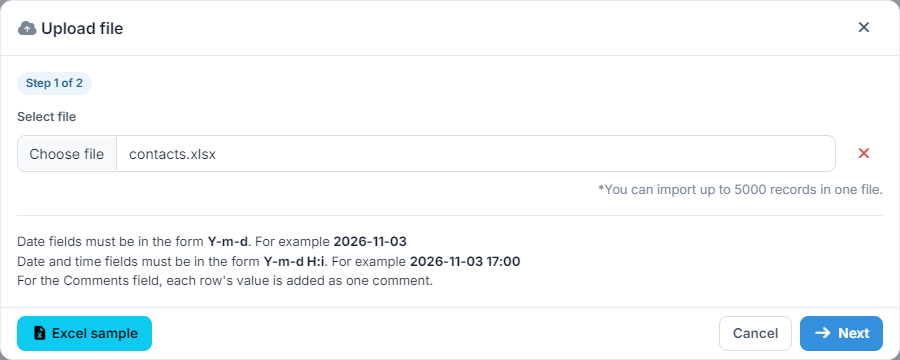
In the window that opens:
- Excel sample downloads a template file with all the object's fields, so you can fill in your records there.
- Under Select file choose the file from your computer and press Next.
Step 2: Field mapping
The app shows each column of your file with its first value. In the Field column you choose which Entryc field it's saved to. Columns with the same title as a field are mapped automatically. Leave the field empty for any columns you don't want imported.
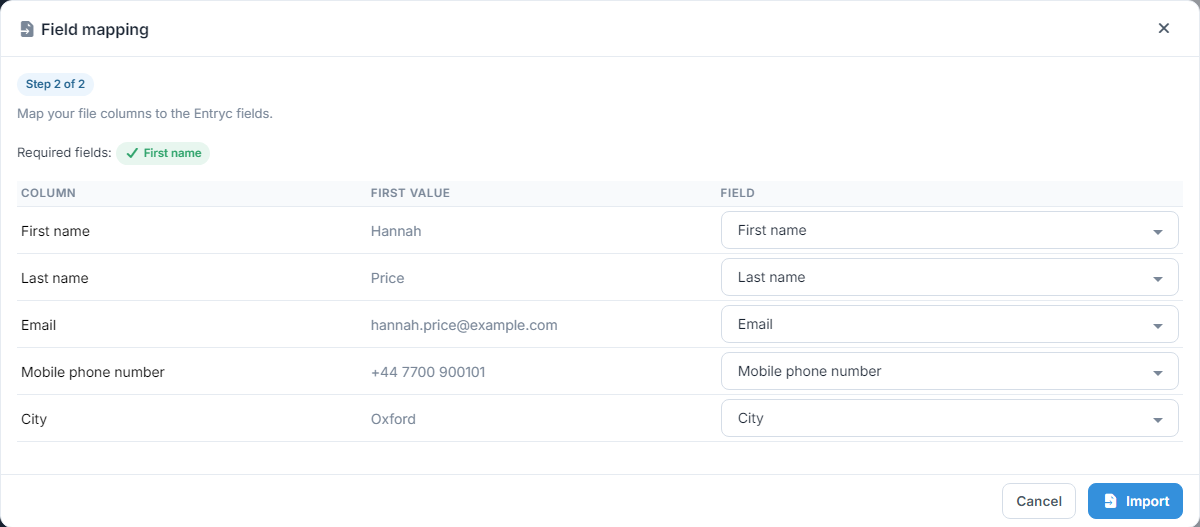
At the top you see the object's required fields: in green the ones you've mapped and in red the ones missing. Each field can be mapped to only one column. When you're ready, press Import.
After the import
The import runs in the background, so you can carry on working. When it's done, you get a notification that the records were added to the object.
- Duplicates: if you've set duplicate rules for the object, rows that match an existing record are skipped. See the guide Duplicate data.
- Records limit: if the file's rows exceed the records your plan still allows, the import doesn't happen and you get an email. See the guide Subscription.
For the reverse, see the guide Exporting data.